For parents of kids in daycare & school

Never miss another pajama day.

A simple AI system that turns school emails, daycare apps, flyers, and group chats into one 15-minute weekly plan that both parents share.

A 15-minute readSet up tonightWorks with free AI tools30-day money-back guarantee
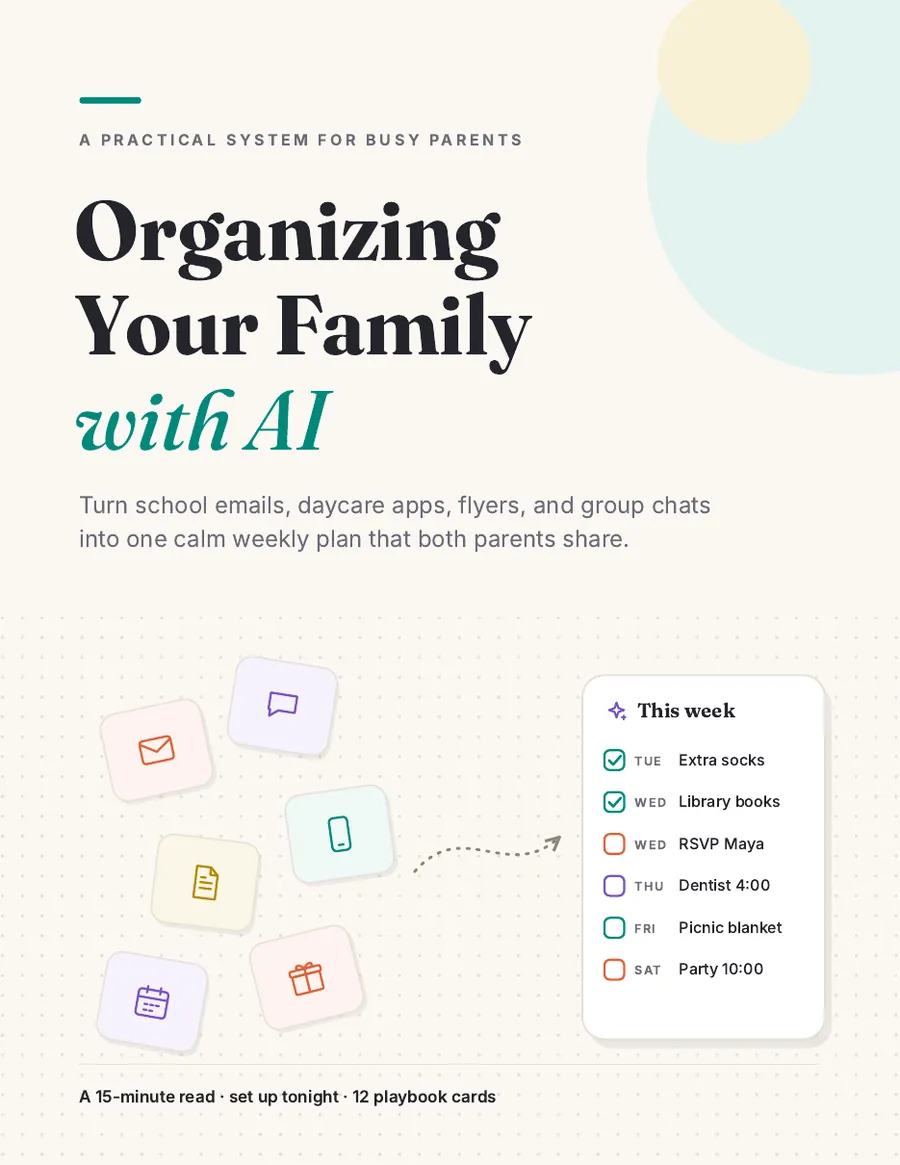
The Family Autopilot Toolkit cover Organizing Your Family with AI ebook cover
15-minute read · 12 playbook cards
Sound familiar?

The information isn't missing. It's scattered.

📱 Daycare app, 7:42 a.m.: "Reminder: today is Pajama Day!" Your kid is wearing jeans.
🎒 A permission slip, due today, at the bottom of a backpack.
💬 63 messages in the class chat about a lost hat, and one about Friday's picnic.
❓ Your partner: "Did you know there's an early pickup Thursday?"

School email, daycare apps, class group chats, paper flyers, doctor texts, activity coaches, party invites. That's often eight or more places to check, and the one line you need to act on is buried in paragraph four of a newsletter.

In many homes, one parent ends up holding all of it in their head. The other parent wants to help, but never has the full picture.

You're not disorganized. You're overloaded.

Trying harder isn't a system. This book gives you one.

How it works

Read it in 15 minutes. Set it up tonight.

No new app to learn, no complicated automation. You use the email, calendar, and AI tool you probably already have.

1

Collect

Every school, daycare, and doctor message lands in one Family Hub that both parents can see.

2

Understand

AI reads it all and gives you a day-by-day list of what's coming, with the source of every item.

3

Share

Every family job gets one owner, so it stops landing on the same parent.

4

Use the cards

12 one-page playbooks for sick days, parties, forms, and school breaks. Pull one out only when you need it.

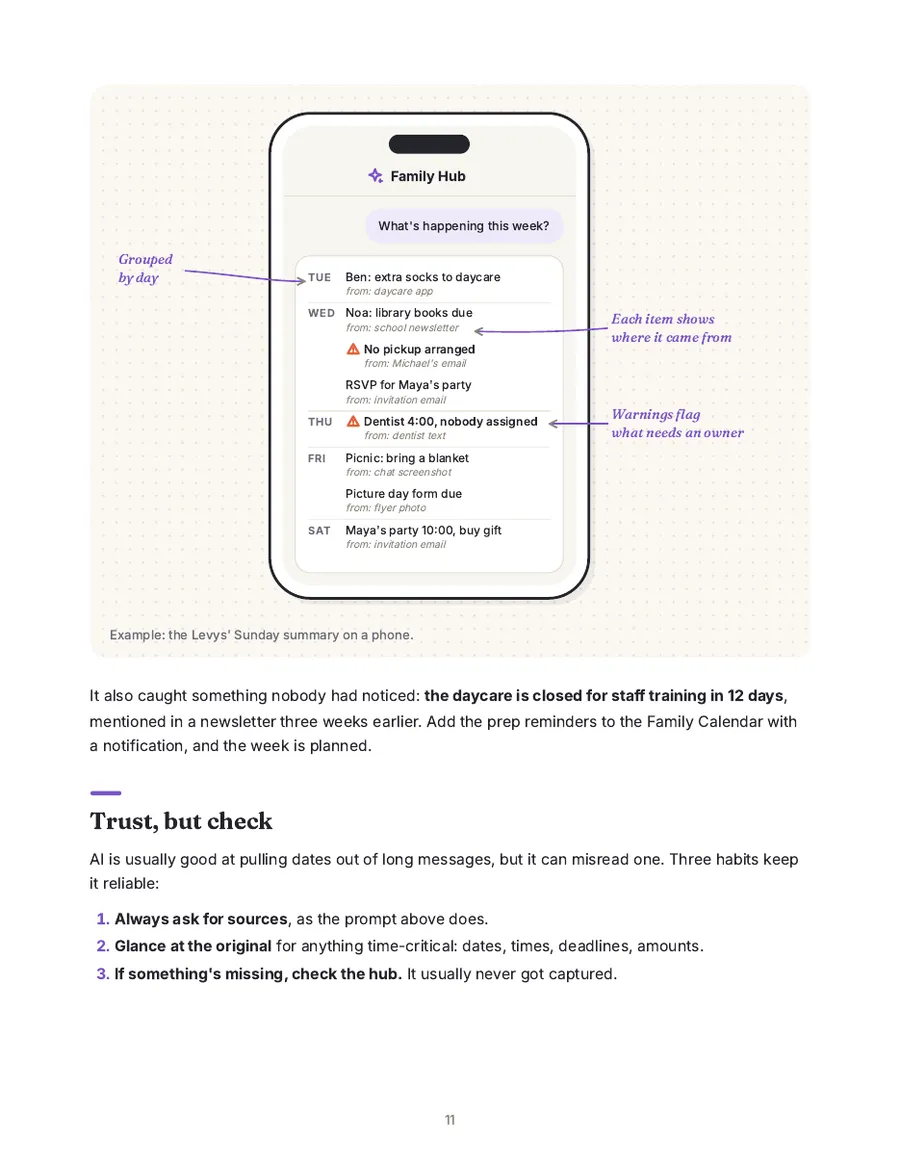
A page from the book showing the AI weekly summary on a phone

From Chapter 3: the one Sunday question, and what the answer looks like on your phone.

What's inside

Short on purpose. Use it when you need it.

  • The core · a 15-minute readWhy it all feels like too much, building your Family Hub in about an hour, the one Sunday question, sharing the load, and your first week.
  • 12 playbook cards · use when neededOne page each: when to use it, the prompt to paste, and what to do next.
  • Reference · look it upSetup options for Apple and Outlook, privacy rules, kids' checklists, and troubleshooting.
  • Two formatsA phone-friendly web edition with a Copy button on every prompt, plus a printable PDF.

The 12 playbook cards

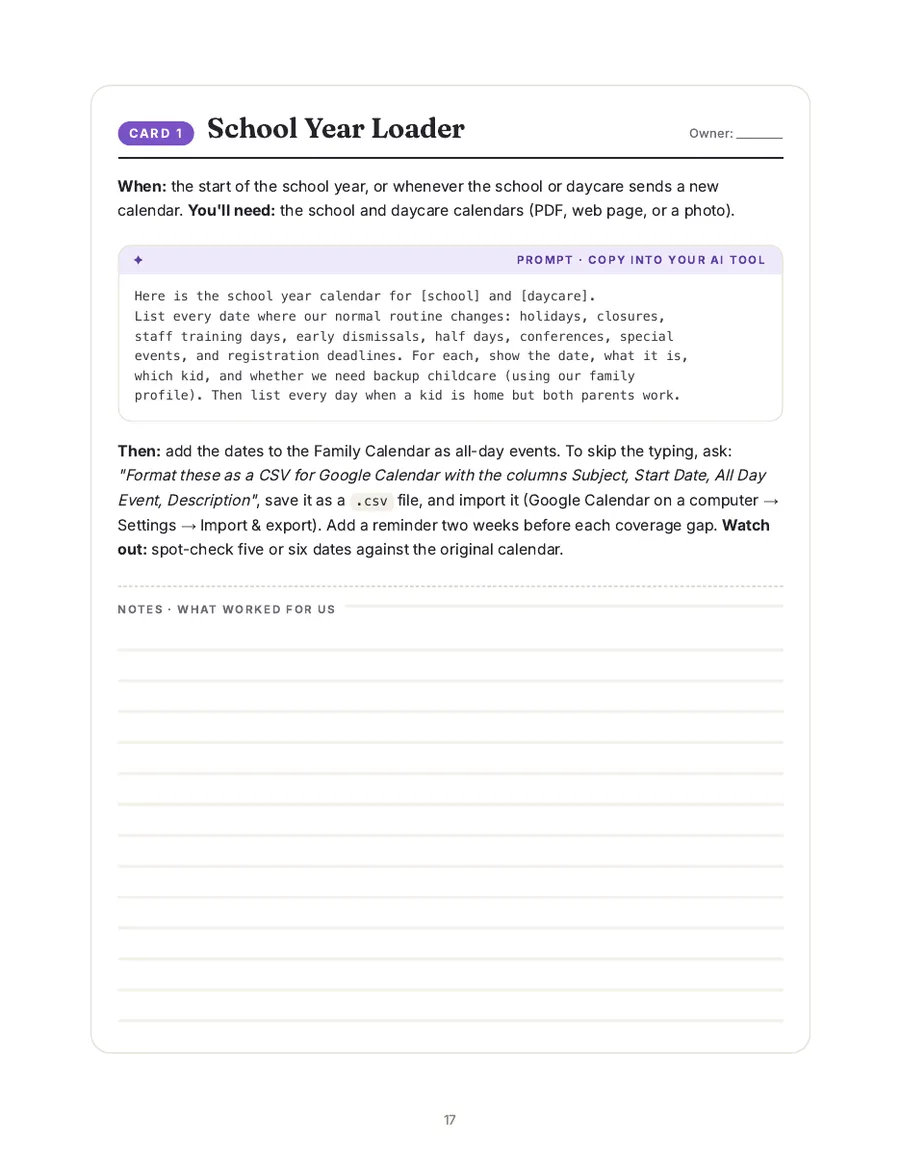
School Year Loaderevery closure, months ahead
Recurring Rhythmslibrary day, gym day, refills
Forms & Deadlinespermission slips, tracked
Homework & Big Projectsbig projects, planned backward
Meals & Lunchboxesnut-free, picky-eater friendly
Birthday PartyRSVP, gift, reminders
Sick Day Plana plan before the fever
School Breaks & Campsno surprise gap weeks
Caregiver Briefingone page for grandma
Kid Gear Checkspare clothes, sizes
Message Drafterteachers, parents, RSVPs
Health Appointmentscheckups booked on time
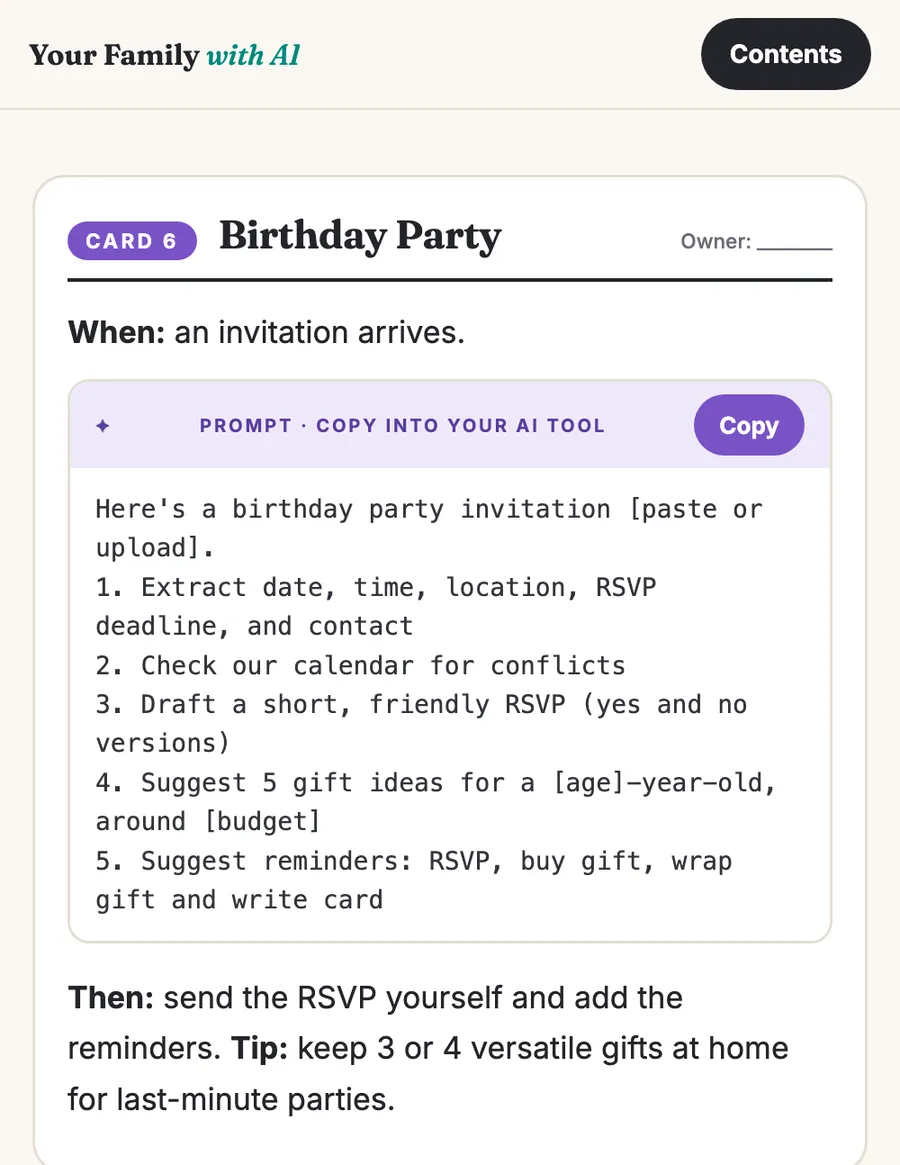
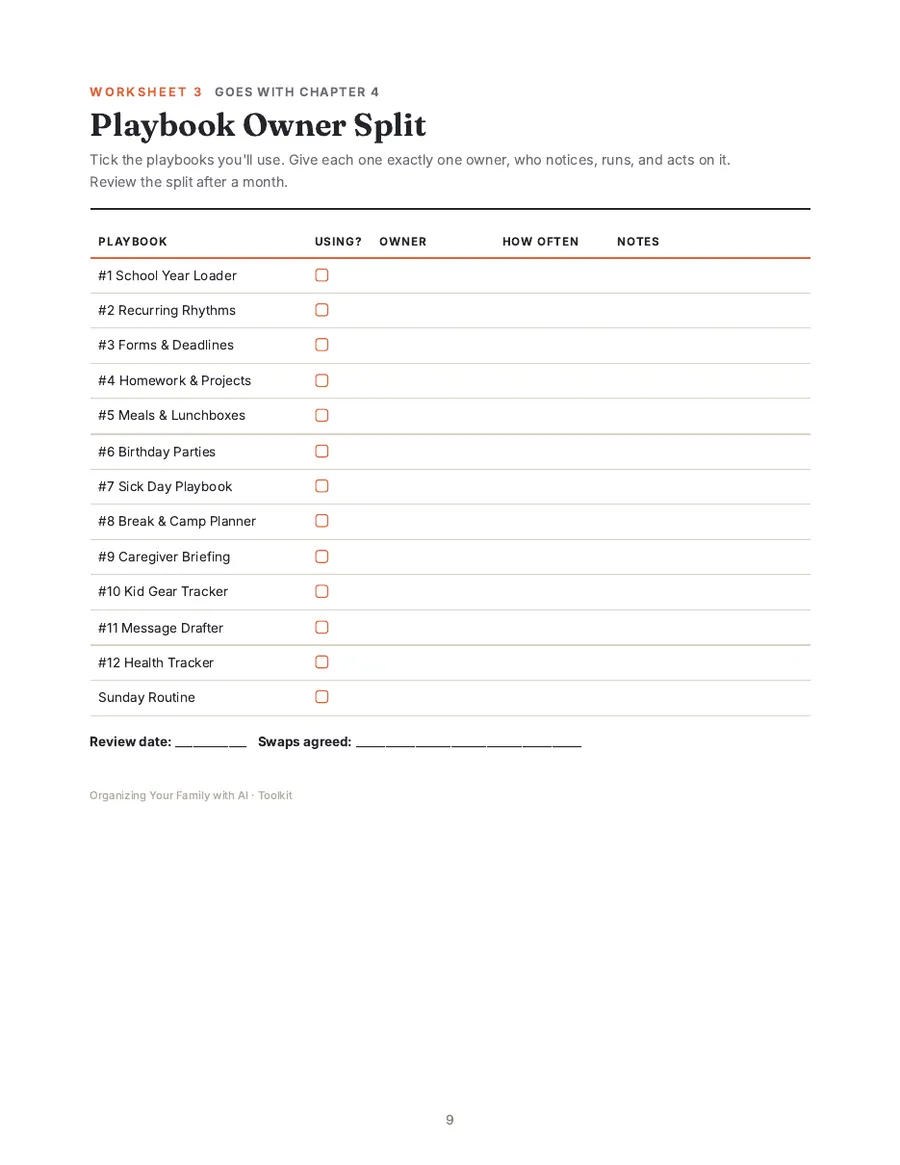
The phone-friendly web edition with a Copy button on a prompt A printable playbook card: School Year Loader Bundle worksheet: playbook owner split

The web edition on a phone, a printable playbook card, and a bundle worksheet. Read Chapter 1 free.

Good questions

"But…"

"We're not tech people."

You don't need to be. Every step uses tools you already know (email, a calendar, a photo album) and prompts you copy and paste. No coding, no automation tools.

"My partner won't use another app."

They don't have to. The family calendar shows up inside the calendar they already use, and the book shows you how to start with the parts that ask nothing of them.

"Is it safe to put my kids' info into AI?"

The book includes a 5-minute privacy check and clear rules: first names only, no ID numbers or medical records, and never photos of other children. You can also use it without connecting AI to your email at all.

"Do I have to pay for AI?"

Start with a free plan. The core system is built around copy-and-paste, which works on free plans within their usage limits. Paid features are optional extras.

Is this for you?

Yes, if you…

  • have a child in daycare, preschool, or elementary school
  • feel like you're always one message away from missing something
  • are the parent who notices everything, or you want to be the one who helps more
  • are a single parent or co-parent in two homes (there's a section for you)
  • are new to AI and want something practical

Probably not, if you…

  • want an app that does everything for you with no input
  • want a paper planner with no AI at all
  • are looking for advanced automation or coding projects
  • need medical, allergy, or legal advice (talk to a professional)
Shira Gavish smiling, resting her chin on her hands
Shira GavishYoga teacher (RYT-500) · Tenafly, NJ · Mom of three
From one busy mom to another

I was the family's calendar. Now we share one.

Hi, I'm Shira. I teach private and small-group yoga in Bergen County, New Jersey. Over the last two years I also finished my 200-hour and 500-hour teacher trainings, all while raising three kids between preschool and elementary school.

For a long time, everything lived in my head: the daycare app, school emails, the class WhatsApp groups, flyers at the bottom of backpacks, and my own class schedule on top. When something slipped, it was usually because I was the only one who knew about it.

What changed things wasn't a new app. It was a simple system: everything lands in one shared place, and every Sunday I ask AI one question: "What's happening this week?" My husband sees the same list I do, and each of us owns our part.

This book is that system, step by step: a short read, and about an hour of setup. No tech skills needed. The time you get back is yours: for your kids, your work, or even your own yoga practice.

Shira

Choose your version

Start tonight.

The Ebook

$24

The whole system, short enough to finish tonight.

  • The core guide: a 15-minute read
  • Family Hub setup in about an hour
  • 12 printable playbook cards
  • Phone-friendly web edition with Copy buttons
  • Printable PDF
Get the guide · $24
Most complete

The Family Autopilot Bundle

$49

The guide plus every worksheet and tracker, ready to print or share.

  • Everything in the guide
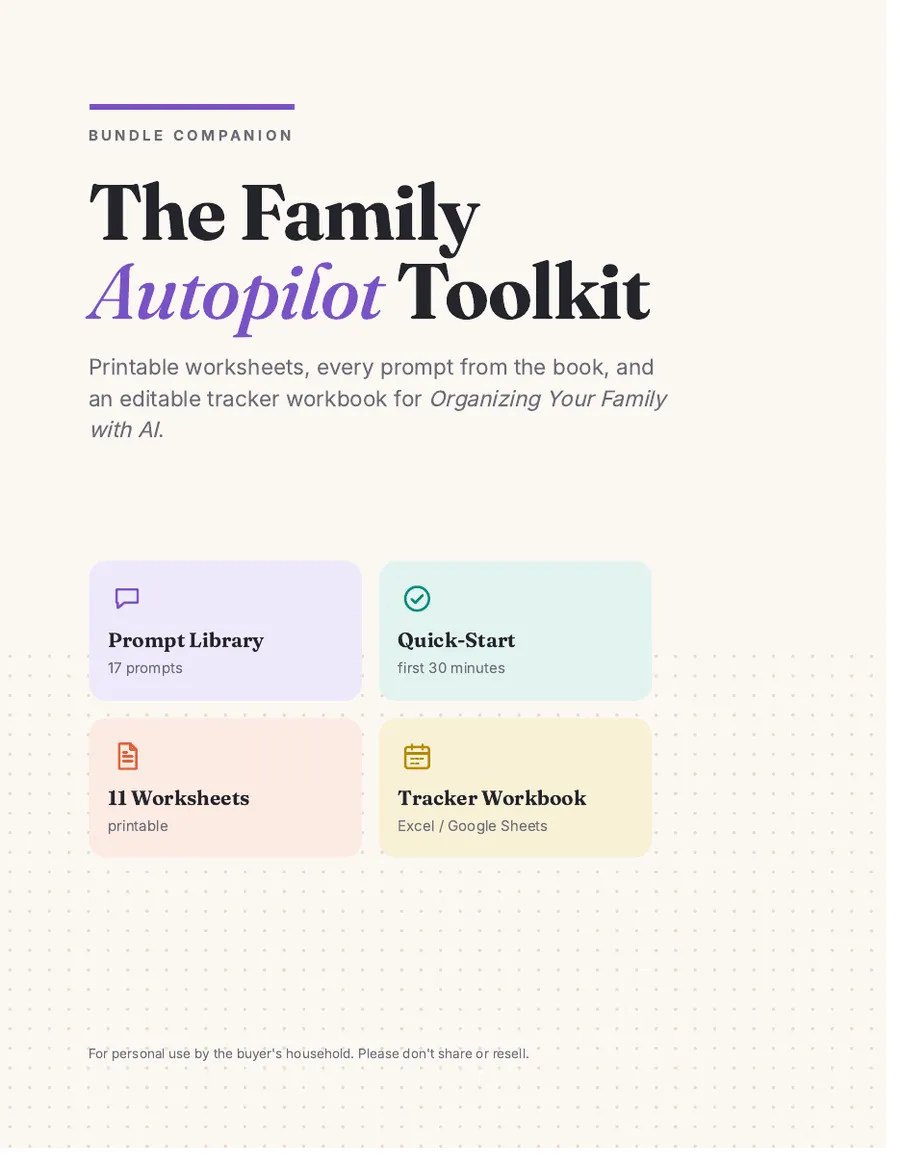
  • Family Autopilot Toolkit (printable PDF)
  • 11 worksheets: Family Profile, Owner Split, Sunday Routine cards, Sick Day Plan, Forms Due, Caregiver Briefing & more
  • Quick-Start: your first 30 minutes
  • Prompt Library: every prompt in one place, plus a copy-paste text file
  • Tracker Workbook for Excel or Google Sheets (6 trackers with drop-downs)
  • Setup Cheat Sheet
Get the bundle · $49
30
days
Simple guarantee. If the book isn't useful to your family, email within 30 days for a full refund. No forms, no hoops.

🔒 Secure checkout by Stripe · Card, Apple Pay & Google Pay · Instant access · Sales tax added at checkout where required. Terms of Sale.

Not sure yet?

Read Chapter 1 free.

Get Chapter 1 and one full playbook card (the Sick Day Plan), and see if the approach fits your family.

We'll email you occasional tips and news about the book. Unsubscribe anytime. See our Privacy Policy.

FAQ

Questions parents ask

Which AI tool do I need?

Any mainstream AI assistant that can read photos and PDFs works, such as Google Gemini, ChatGPT, Claude, or Microsoft Copilot. The book includes a short checklist for choosing one.

How long is it, and how long does setup take?

The core is a 15-minute read. Setting up the Family Hub takes about an hour. After that, it's about 15 minutes on Sundays. The 12 playbook cards are one page each, and you only read the one you need, when you need it.

Does it work with iPhone and Android?

Yes. The examples use a free Google account, which works on both. If your family uses Apple or Microsoft, the same steps apply with different menu names.

I'm a single parent / we co-parent in two homes. Will it work?

Yes. Single parents can skip the sections on splitting work and use the hub with any helpers. Co-parents can share the Family Calendar and email between homes and use the Caregiver Briefing for handovers.

What's the difference between the $24 and $49 versions?

The $24 guide teaches the whole system and includes the 12 playbook cards. The $49 bundle adds the printable toolkit (11 worksheets, Quick-Start, Cheat Sheet), the Prompt Library, and an editable tracker workbook, so you don't have to build any templates yourself.

Is my family's information private?

The book never asks you to share your data with us. It shows you how to check your AI tool's privacy settings and what never to paste into an AI tool. Your hub lives in your own accounts.

Can I read it on my phone? Can I print it?

Both. You get a phone-friendly web edition (add it to your home screen, tap Copy on any prompt) and a printable PDF. The playbook cards and the bundle's worksheets are designed for printing.

What if it's not for us?

Email within 30 days for a full refund.

Spend less time keeping track of family life, and more time living it.

One shared hub. One 15-minute Sunday. Both parents in the loop.

Instant download30-day guarantee
Organizing Your Family with AIGuide $24 · Bundle $49
Get it